
Download YAAI – avi info, video metadata, audio sync, video editing, file analysis
Overview
YAAI, short for Yet Another Avi Info, is a specialized mobile tool designed for users who work extensively with AVI video files. Its primary purpose is to analyze, manage, and correct metadata and audio synchronization issues within AVI format videos. This application addresses a niche but important need in the digital media workflow—particularly for individuals handling legacy or edited video content where metadata may be missing or corrupted, and audio-video desynchronization is common. The app is ideal for video editors, content archivists, digital preservationists, and hobbyists who maintain personal video libraries and require technical insights into AVI files.
Unlike general-purpose media players or editors, YAAI focuses exclusively on metadata extraction and audio alignment, making it a streamlined utility rather than a full-featured video editor. Its ability to display detailed technical specifications such as compression method, bitrate, resolution, and audio format enables users to assess video quality and compatibility without relying on desktop software. The developer, Jason A.
Bilbrey, has created a lightweight, no-install solution that emphasizes accessibility and immediate usability. Although the developer did not provide additional technical details, the app’s longevity—released in 2005—suggests reliability within its specific domain. In the broader app ecosystem, YAAI serves as a valuable tool for users seeking quick, on-the-go analysis of AVI files, particularly in environments where installing heavy software is impractical.
Key Features & Functionality
- Detailed Video Information Display: YAAI provides comprehensive metadata for AVI files, including compression codec, video bitrate, resolution, frame rate, and audio format. This level of detail helps users evaluate video quality, compatibility, and file size implications. For example, a user can quickly determine if a video was encoded with a high-bitrate codec, which may affect playback performance on older devices.
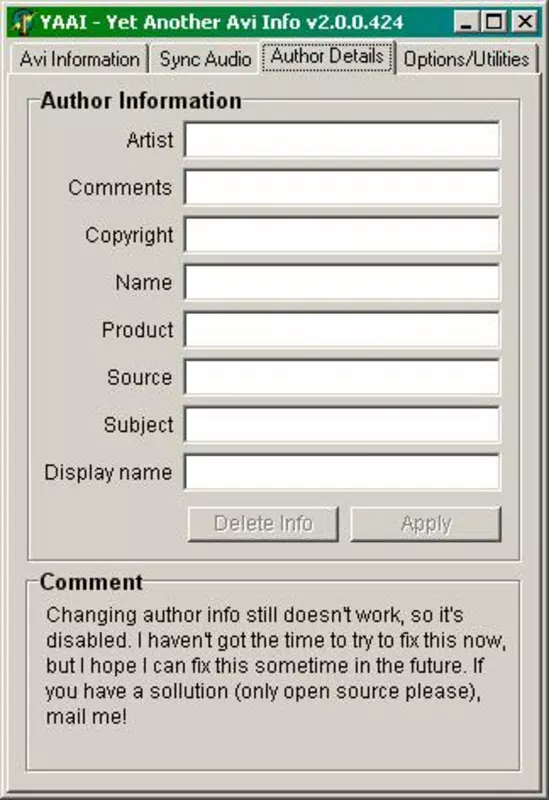
- Metadata Editing Capabilities: The app allows users to edit essential file information such as title, author, and comments. This feature is particularly useful for organizing personal or archival video collections. By updating metadata, users can improve searchability and maintain accurate records, especially when managing large volumes of video files across multiple devices.
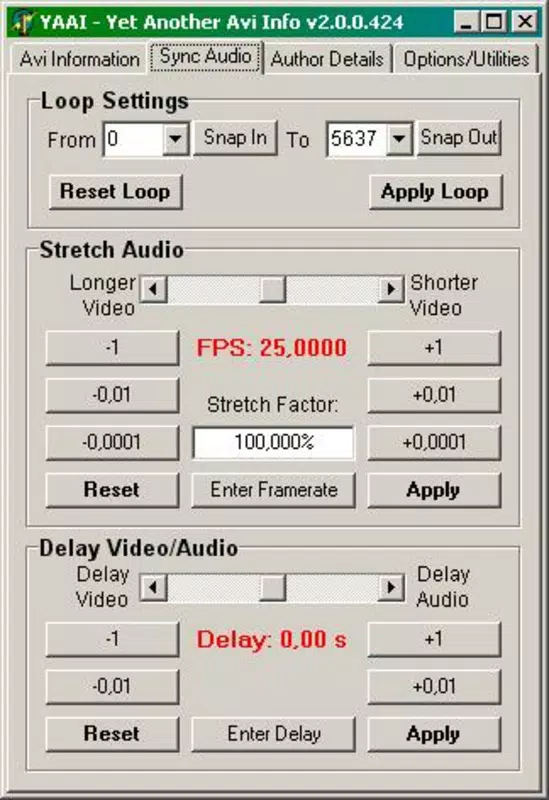
- Audio Synchronization Tool: A dedicated function enables users to correct audio-video desynchronization, a common issue in edited or remixed AVI files. This tool allows fine-tuned adjustments to align audio with video, ensuring a seamless playback experience. For instance, a user who has re-encoded a video with a different frame rate can use YAAI to realign the audio track without needing advanced editing software.
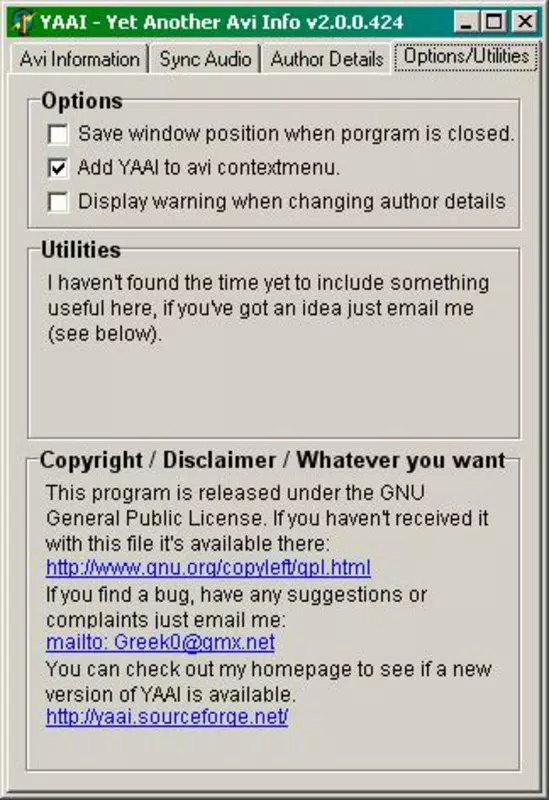
- No Installation Required: One of YAAI’s most distinctive features is its ability to run directly from a downloaded file. This eliminates the need for installation, reducing system clutter and enabling immediate use. It is especially beneficial for users who frequently switch between devices or work in temporary environments where software installation is restricted.
Interface, UX & Performance
The user interface of YAAI is designed with simplicity and functionality in mind. It presents a clean, text-based layout that prioritizes accessibility of technical data without visual distractions. Navigation is straightforward: users select a video file from their device’s storage, and the app instantly displays all available metadata in a structured format. The layout is optimized for readability, with clear labels and organized sections for video and audio details.
Although the developer did not list formal performance metrics, the app’s minimal size of 1.5 MB suggests efficient resource usage. It is likely to operate smoothly on a wide range of Android devices, including older models with limited processing power. The lack of animations or complex graphics contributes to quick load times and consistent responsiveness.
Users can expect stable performance during file analysis and metadata editing, with minimal risk of crashes or freezes. The app’s lightweight nature also means it consumes little battery and storage, making it suitable for frequent use. While specific compatibility details were not disclosed, its long-standing presence in the Android ecosystem indicates ongoing functionality across various device categories.
Platform Compatibility & Technical Requirements
YAAI is available exclusively on the Android platform. It is compatible with Android devices running the OS version specified in the release details. The app has a file size of 1.5 MB, making it highly portable and suitable for devices with limited storage capacity. The version number is 1.0, indicating a stable release that has not undergone major updates since its initial launch in 2005. The developer did not specify minimum OS requirements or hardware specifications, so users should ensure their device supports APK installation and basic file browsing functionality.
Given the app’s age and minimal system demands, it is likely compatible with a broad range of Android devices, including those released in the mid-2000s. However, users should be cautious when installing older apps from unofficial sources, as security protocols may have evolved since the release date. The app is free to download and install, offering full access to all features without in-app purchases or hidden costs.
Pros and Cons
Pros
- Lightweight design at only 1.5 MB, ideal for low-storage devices
- No installation required—run directly from APK
- Comprehensive AVI metadata display for technical assessment
- Supports editing of key video metadata like title and author
- Includes a practical audio synchronization tool for AVI files
Cons
- Only supports AVI files; no compatibility with other video formats
- Version 1.0 has not been updated since 2005—potential compatibility risks on modern Android systems
- Interface is text-based and may lack visual appeal for casual users
- Developer did not provide technical specifications or compatibility details
- Not available on iOS or other platforms
FAQ
Is YAAI safe to download and use?
Yes, YAAI is free and does not require installation. However, as with any APK downloaded from third-party sources, users should ensure the file comes from a trusted provider and scan it with antivirus software before use.
Can I use YAAI on iOS devices?
No, YAAI is only available for Android devices. There is no official iOS version, and the app cannot be installed on Apple smartphones or tablets.
Does YAAI support video editing beyond metadata and audio sync?
No, YAAI does not offer full video editing features such as trimming, cutting, or effects. It is focused solely on metadata analysis and audio synchronization.
Is YAAI still updated by the developer?
The app’s version is 1.0, and it was released in 2005. The developer did not indicate any recent updates, so it is likely not actively maintained.
What should I do if YAAI doesn’t open on my Android device?
Ensure your device allows installation from unknown sources. If the issue persists, try downloading the APK from a different source or check if your Android version is compatible with older apps.
Final Thoughts
YAAI remains a uniquely valuable tool for users who frequently handle AVI files and need quick access to technical metadata and audio synchronization. Its no-install design, combined with focused functionality, makes it an efficient utility for professionals and enthusiasts alike. While its age and lack of updates may raise compatibility concerns on newer Android systems, its core features remain relevant in niche workflows.
For anyone managing AVI video libraries, correcting audio sync issues, or auditing video quality, YAAI delivers practical value without complexity. Its simplicity and efficiency stand out in a market dominated by bloated multimedia apps. Download YAAI now.


